
Find your IP address
IP address
An IP address (Internet Protocol address) is a numerical label assigned to each server. It is a unique string of numbers separated by full stops that identifies each computer using the Internet Protocol to communicate over a network.
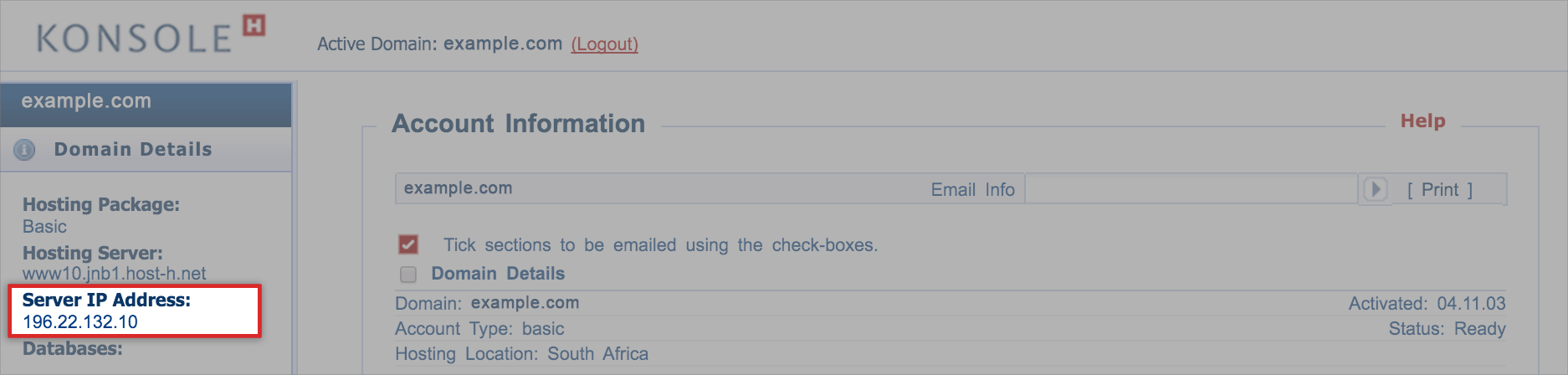
The IP address of the server that hosts your domain and email is available on konsoleH, together with your other domain details.
Find your hosting server IP address
- Browse to konsoleH and log in at Domain or Admin level
- Choose Domain Details on the left menu
- The IP address is listed under Server IP Address e.g. 196.22. 132.10
Posted in Control Panel